How to sign PDF documents without printing them out
https://www.pcworld.com/article/1942934/how-to-sign-documents-without-paper.html
- Open Adobe Acrobat (download it here)
You must sign in to or register with Adobe to do this.
Open the document to be signed in Acrobat Reader. Locate the location of the signature, select Fill in and sign in the menu.
- Sign the document
Important note: the default is digital signature – don’t do this!
You can now sign with letters, but this is pointless. Instead, click Sign yourself and select Add signature.
- Draw yourself
Click Draw. Now you can write (draw?) your signature with the mouse. It’s not guaranteed to turn out well unless you’re really good at it. It’s better to use an image of your signature…
- Use image
Write your signature on a piece of paper and take a photo of it using your phone – save it where you can find it. Back in Adobe Acrobat Reader, click Image and browse for your saved signature. Position the signature correctly and adjust the size.
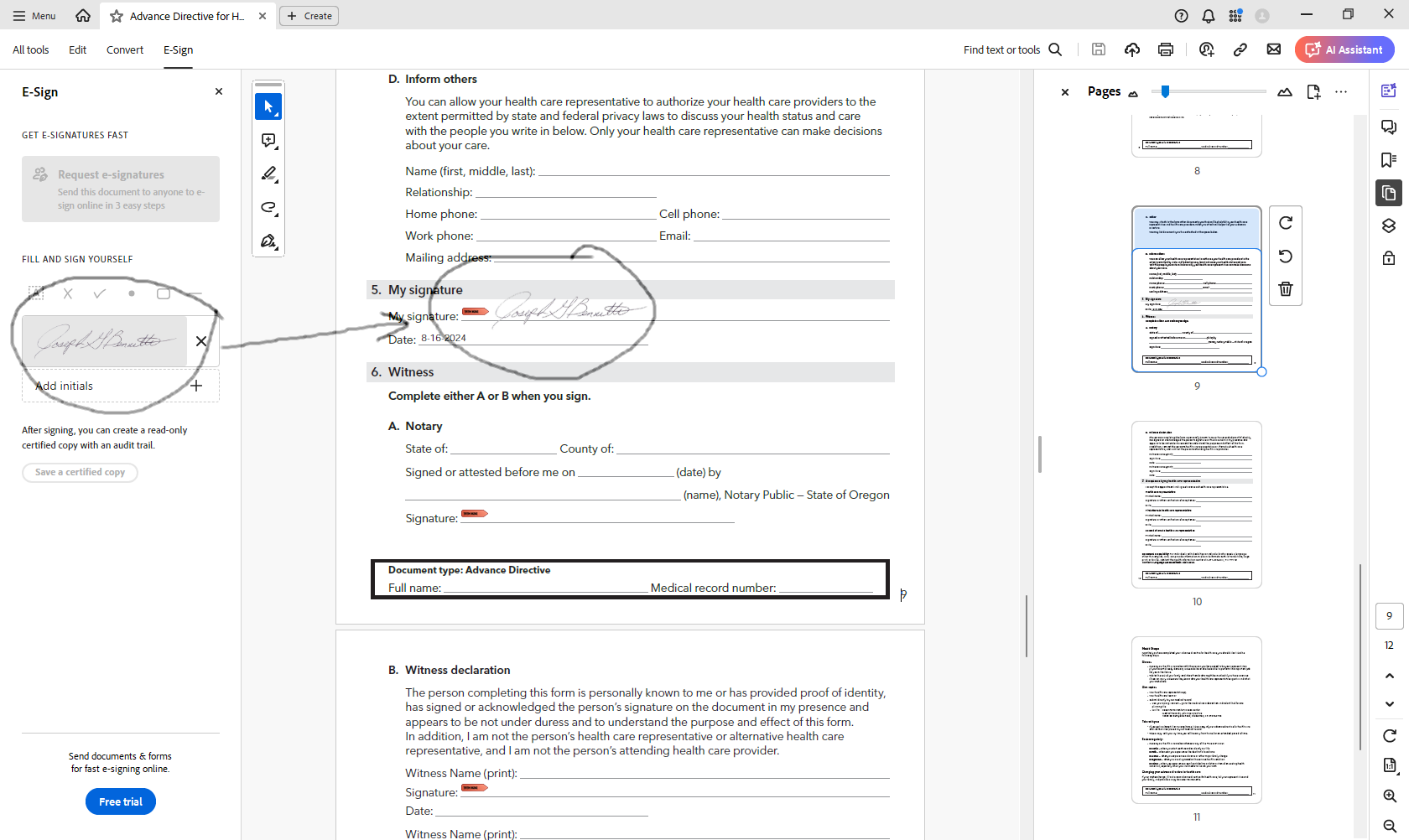
When you save the pdf, it will now include the signature(s) you inserted using this method.